The Hello World program has traditionally been the first programming exercise that students are introduced to when they learn a new language, so why should we be any different in Alice.
Check out http://c2.com/cgi/wiki?HelloWorld for further information and a brief history.
Creating a new world
The first step in making a program in Alice is to create a new world. This is the environment in which all of your characters and objects will interact. There are six world templates to choose from. I have selected the grass world.

Adding a character to your world
The next step is to add a character to your world. To do this click on the Add Objects button. Then browse through the Local Gallery until you find the People folder. Open the People folder and select a suitable character. For this example I have selected the DJ character.
 Writing your first program
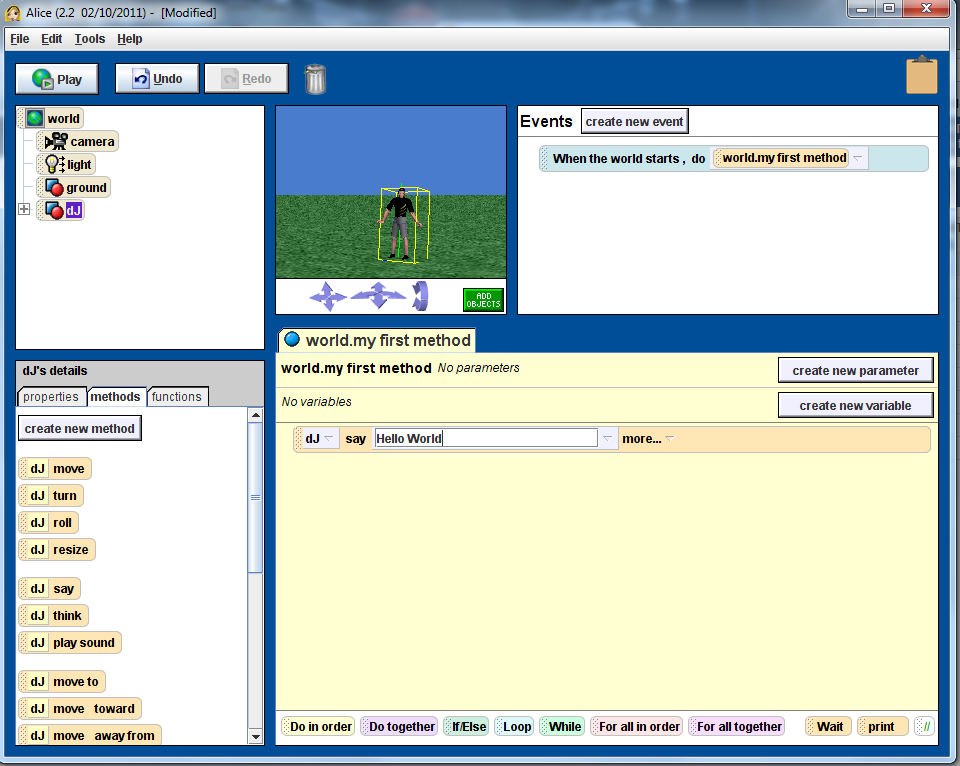
In this step we write our first bit of code. To do this click on the dJ object in the top left hand panel. Then make sure that the method tab under dJ’s details is selected. Click on the dJ say method and drag it across to the my first program panel. Click on the text next to say and change the text to “Hello World”.
 Running your program
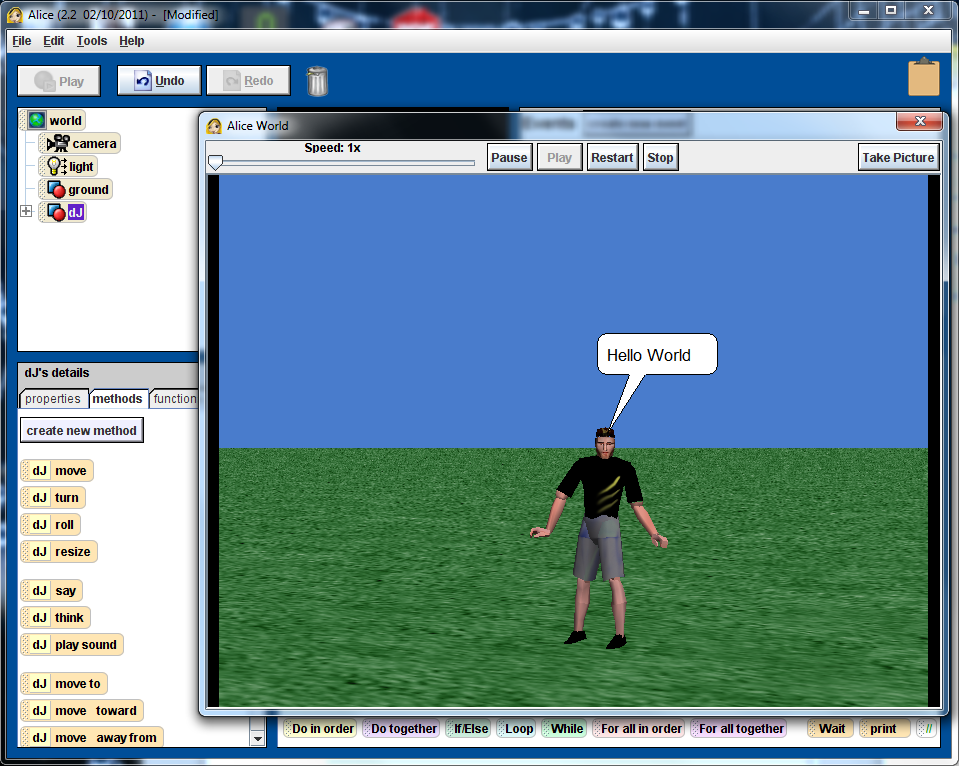
Now it is time to check that your program works. Click on the Play button. This will open a new window and run your program. The result should look like the window below. Note that the text will only show for one second.
Code Listing
Events
| When the world starts | ||
| Do: |
|
|
Methods
world.my first method ( )
No variables
| dJ say Hello World duration = 10 seconds |
Extensions
Ok you’ve created your first program. Now is probably a good time to explore a little further. Here’s some ideas:
- Extend the time that the speech bubble is showing by setting the duration attribute.
- Introduce a second character who can say something in response
- Create a short play/story that involves interaction between the two characters.